Created Your Logo with AI? Here's What Happens Next
AI can turn an idea into an image in seconds. But getting that design ready for your website, products, packaging or print? That's where things can get a little more complicated.
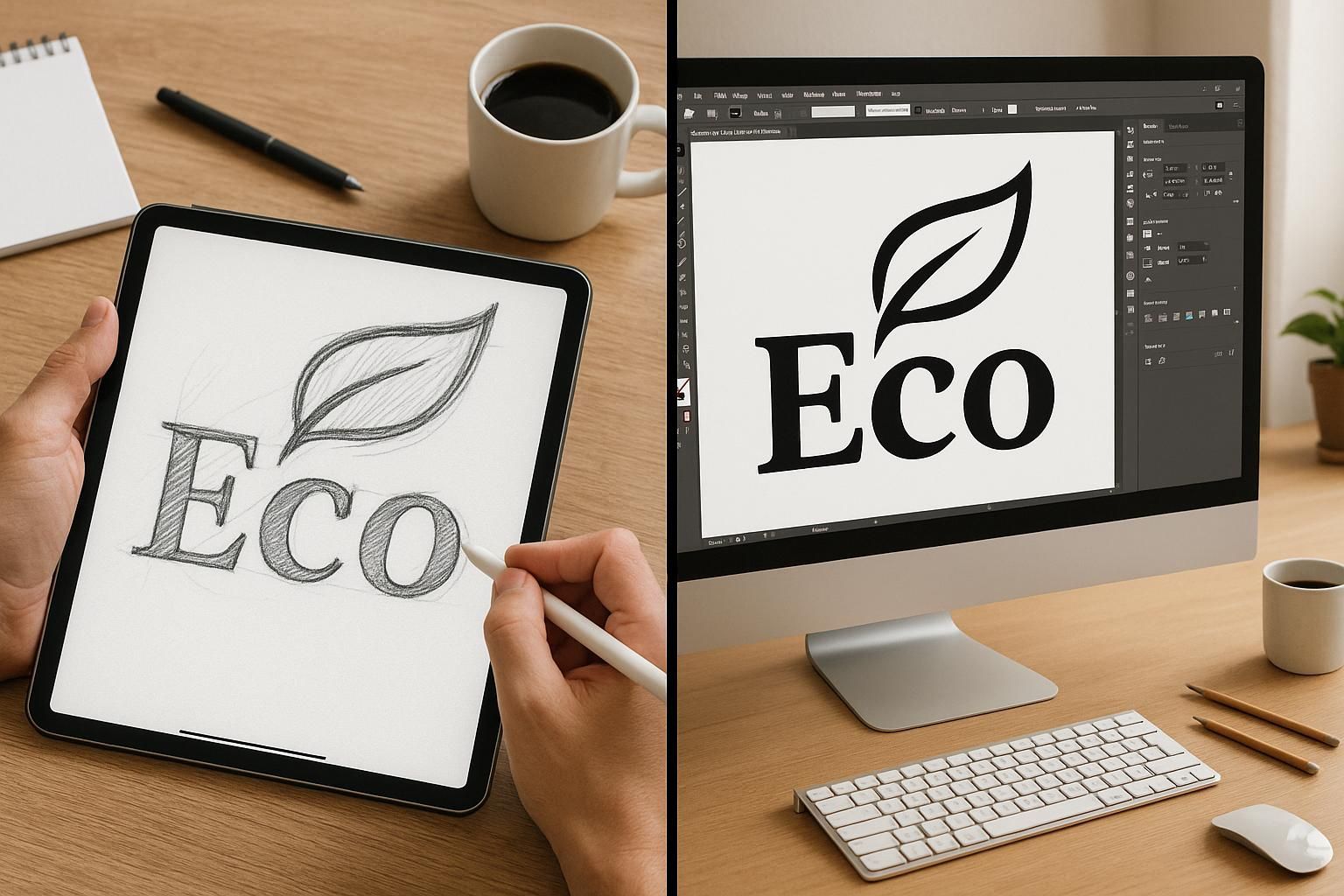
AI has opened up a whole new world of creative possibilities. You can describe an idea, experiment with different styles, explore colours and generate images in a matter of minutes. And for anyone starting a business, it's an exciting way to get the creative ball rolling. Perhaps you've created a logo you're really happy with. Maybe you've generated an illustration for a product, designed some artwork for a T-shirt or come up with a concept for your packaging. Brilliant. You've got an idea. But what happens when you want to do something with it? You download the image, upload it to a printer or send it to a supplier, only to discover it isn't quite suitable. The resolution is too low, the background isn't transparent, the colours aren't right or the artwork can't be enlarged without becoming blurry. Sound familiar?
Creating an image with AI and producing professional, usable artwork are two very different things.
And that's where a graphic designer can help.
AI Can Create the Idea. But Is the Artwork Ready?
One of the biggest misunderstandings about AI-generated design is that an image that looks finished on screen is automatically ready to use. Unfortunately, that's not always the case. AI tools can produce impressive visuals, but the files they generate don't necessarily have the structure or technical qualities needed for professional design and print.
For example, your AI-generated logo might look great on your computer, but it could have:
- Low resolution, meaning it becomes pixelated when enlarged.
- No editable vector artwork, making it difficult to scale cleanly.
- Unwanted backgrounds or image elements that are difficult to separate.
- Inconsistent lettering or typography.
- Colours that don't reproduce as expected in print.
- Fine details that disappear when the design is printed at a smaller size.
These aren't necessarily reasons to abandon your idea. They're simply things that need addressing before the artwork can be used properly.
Turning an AI Image into Professional Artwork
This is where experience and a little creative problem-solving make a difference. Depending on what you've created, the artwork might need a few adjustments, some careful refinement or a complete rebuild. For a logo, that could mean recreating the design as vector artwork, refining the typography, adjusting proportions and making sure the finished identity works at different sizes.
For an illustration, it might involve cleaning up the shapes, correcting details, separating elements or recreating parts of the image so they can be used independently. Sometimes the best solution is to use the AI image as a visual reference and rebuild the artwork from scratch. The aim isn't necessarily to change your original idea. It's to preserve what you like about it while making sure the finished design is technically sound and fit for purpose.
The Difference Between Creating an Image and Creating Commercial Artwork
AI can generate some impressive visuals, but there's a big difference between creating an image and understanding how to use that image commercially. Having spent more than 20 years working in graphic design, I've seen first-hand what happens when a design moves from a computer screen into the real world. A logo needs to work on everything from a website to a shop fascia. Packaging needs to be designed around the product, the available space, printing requirements and all the information that needs to appear on it. An illustration might look fantastic on screen, but will it reproduce properly on a T-shirt, mug or product label?
These are practical considerations that come with experience.
It's about understanding materials, printing processes, production methods, suppliers and the technical requirements behind getting a finished product out of the door. AI can help you explore an idea or generate a visual starting point. But it doesn't have the hands-on commercial experience of taking that artwork through design, preparation and production.
And that's an important distinction. A design isn't finished simply because it looks good on screen. It's finished when it works for the purpose it was created for.
From Screen to Print: Getting the Technical Details Right
If you're planning to put your design onto something physical, there are a few more things to consider. Different applications have different requirements. Artwork for a website isn't necessarily suitable for a T-shirt, product label, mug, shop sign or printed brochure.
Here's what might need attention:
- Resolution and image quality Images need to be suitable for their intended size and use. Simply enlarging a small AI-generated image won't automatically improve its quality.
- Vector artwork Logos and many illustrations benefit from being recreated as vector artwork. Unlike standard pixel-based images, vector graphics can be scaled up or down without losing sharpness.
- Colour management Colours can look different on screen compared with how they reproduce in print. Depending on the printing process, artwork may need to be prepared using the appropriate colour specifications.
- File formats Printers and manufacturers often request particular file formats. You might need high-resolution PDFs, vector files such as EPS or SVG, or transparent PNG files for digital use.
- Artwork preparation Bleed, safe areas, sizing and positioning all matter when preparing designs for professional printing. The requirements will depend on the product and supplier.
Getting these details right can save time, avoid unnecessary costs and help ensure the finished product looks as intended.
Making Your Design Work Across Different Products
Another thing worth considering is how your design will work beyond its original format.
A logo that looks great on a website might need adapting for a clothing label, packaging sleeve, social media profile or shop fascia. An illustration created for a T-shirt might need simplifying for a smaller print area or adjusting to work on a mug or tote bag. This is where thinking about the bigger picture becomes important. Rather than treating every application as a separate design, it's worth considering how the artwork can be adapted to create a consistent visual identity across your products and marketing materials. You don't want a collection of designs that all look slightly different. You want something that feels connected.
So, Do You Need to Start Again?
Not necessarily.
If you've used AI to create something you love, there's no reason to dismiss it. It might be a perfectly good starting point for a professional design. The first step is understanding what you've got, what you want to use it for and whether the existing artwork can be refined or needs rebuilding. It's also worth checking the terms of the AI tool you've used, particularly if you're planning to use the artwork commercially. Usage rights and licensing conditions can vary between platforms and services. And remember, making an image technically usable doesn't automatically resolve questions about originality, copyright or ownership. Those are separate considerations.
Got an AI Design? Let's Make It Work.
I'm not here to tell you not to use AI. I think it's an interesting creative tool, and it can be a great way to explore ideas and get a project moving. But there's a difference between having an idea and having finished artwork that's ready to use. With over 20 years of experience in graphic design, I can help take your AI-generated concepts and turn them into professional artwork for branding, products, packaging and print. Whether it's refining a logo, rebuilding an illustration, preparing artwork for a manufacturer or adapting a design for different applications, the aim is always the same: to make your idea work in the real world.
You've got the idea. Let's get it ready for the real world.
Get in touch with Kifi Creative and let's talk about what you'd like to create.